The Atmotube Pro Android app has calibration/offset settings for the humidity and temperature sensor, but the new Atmotube Pro 2 for Android doesn’t have these settings (app versions 3.0.19 and 3.0.20). On iOS, Atmotube Pro 2 does have these settings. When do you plan to add this feature to Android users?
Normally, calibration is not required for the PRO2 device, as the sensors are factory-calibrated. However, if you are seeing a noticeable difference compared with a reference device, it would be helpful if you could share some comparison data.
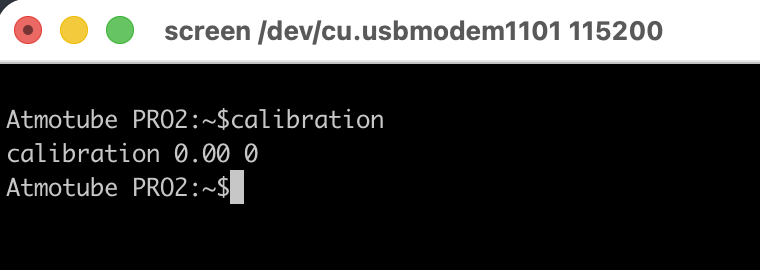
In the meantime, you can adjust the offset using a USB UART command:
calibration [t_offset] [h_offset]
The offset shifts the base device calibration.
Parameters:
[t_offset] – temperature offset
Float value from -5.0 to 5.0
[h_offset] – humidity offset
Integer value from -10 to 10
We do plan to add calibration/offset settings for PRO2 in one of the upcoming Android app releases.
Using a salt test, I determined that the Atmotube Pro2 (s\n ROUAB25903A5) is underestimating relative humidity by 7% (68% instead of 75%). Are there instructions on how to calibrate it using the USB UART command?